← Back to SteadySoloEXPLORE THE MOBILE APP
Your day. Your clients.
Their next visit.
Take a closer look at the tools that keep appointments, client details and thoughtful follow-up together. Start with a short story, or go straight to a feature.
Short captioned videos · Readable feature summaries · Illustrative sample data
INSIDE STEADYSOLO
See the feature.
Picture your day.
Choose what you want to explore. Each tour is about half a minute, with a written explanation you can read at your own pace.
These are marketing illustrations with fictional names and figures, not literal app screenshots or customer results. The pilot interface may differ.
 View illustration ↗
01 / FOLLOW-UP
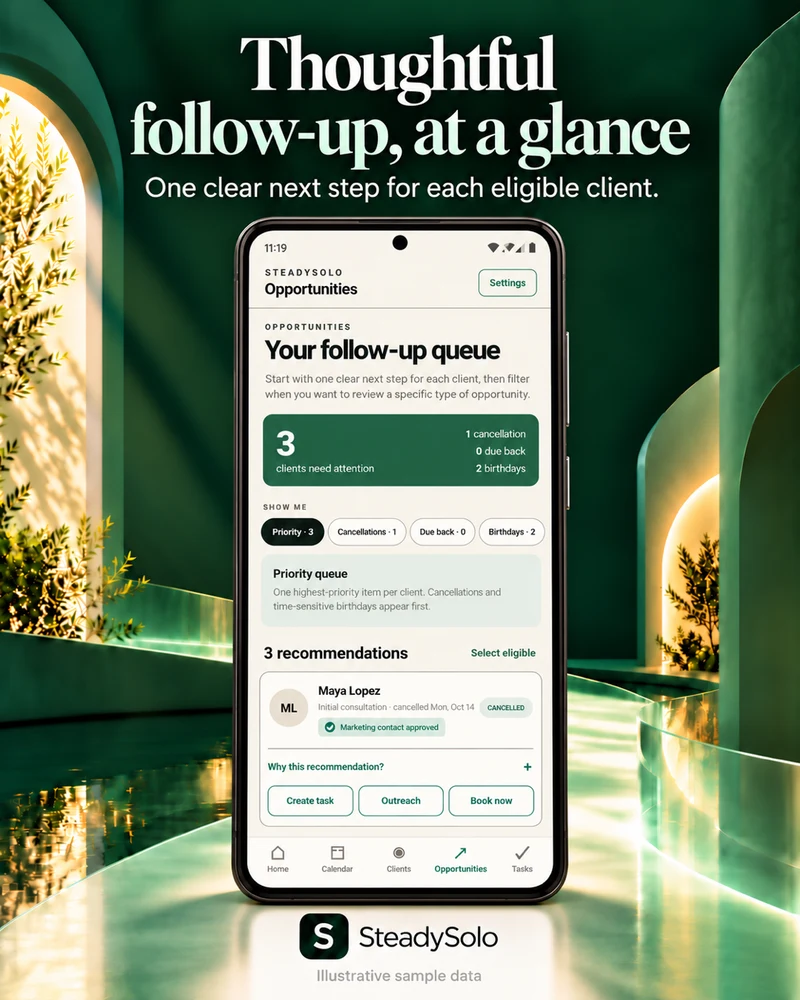
Know who needs attention.
Review cancellations, due-back visits and birthdays in one priority queue. See why a client appeared, then choose your next step.
▶ Watch tour · 30 secondsWhat this feature does
The queue shows one priority per marketing-approved client. Create a task, choose permitted outreach, or book a visit. Queue actions are manual; cancellation and birthday messages are not sent automatically.
 View illustration ↗
02 / YOUR SCHEDULE
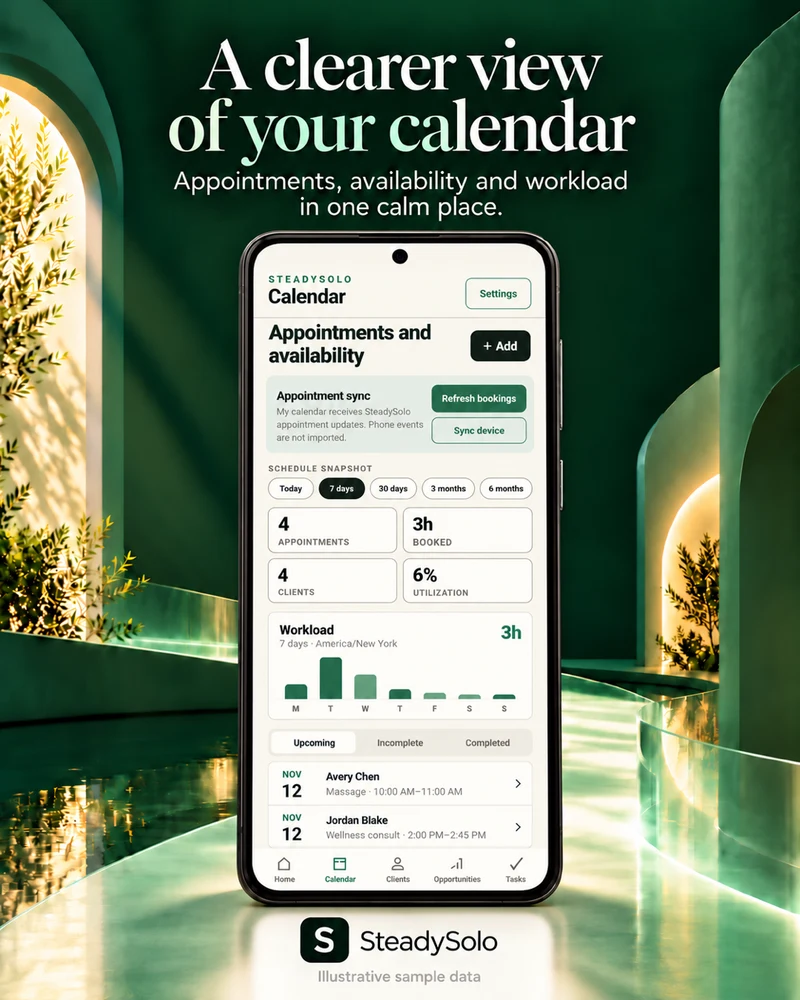
Make booking easier to manage.
Add appointments, review upcoming visits and see your schedule and workload together.
▶ Watch tour · 30 secondsWhat this feature does
SteadySolo appointment updates can sync to your device calendar. Phone calendar events are not imported. The figures and charts shown are fictional examples, not customer results.
 View illustration ↗
03 / NEXT STEPS
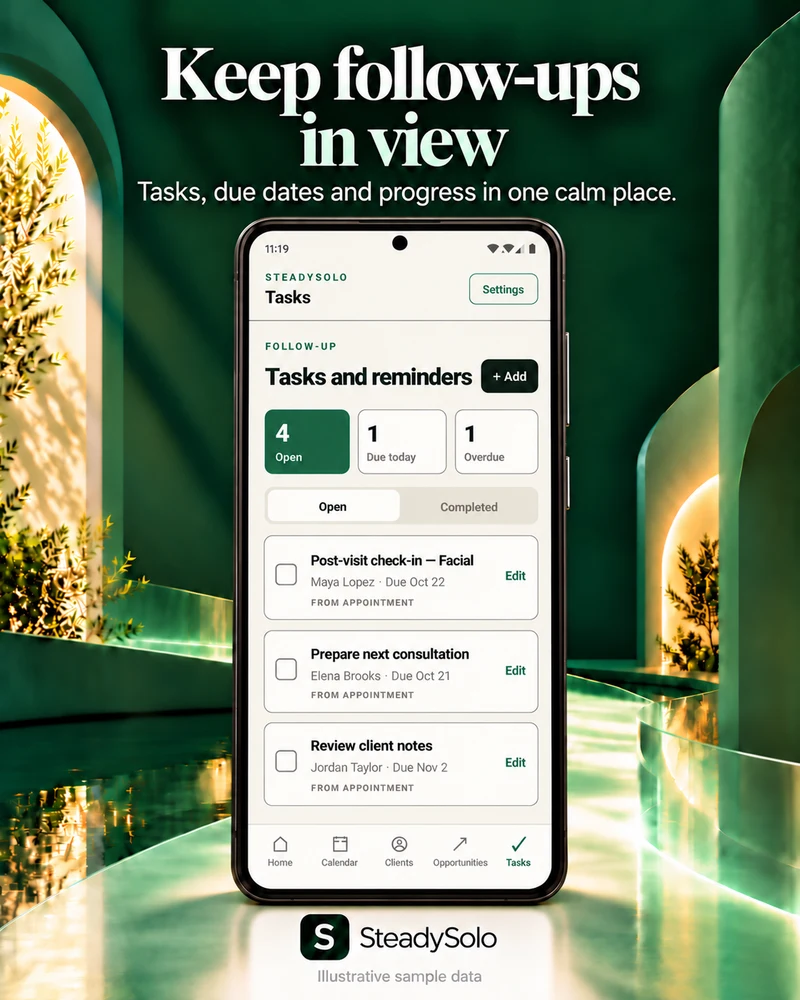
Keep follow-ups in view.
Add a client-linked task, give it a due date and keep track of what is open, due or completed.
▶ Watch tour · 35 secondsWhat this feature does
The illustrated Tasks view shows four open tasks, one due today and one overdue. Add or edit tasks and check them off as you work. This tour does not demonstrate automatic outreach or notification delivery.
 View illustration ↗
04 / CLIENT RELATIONSHIPS
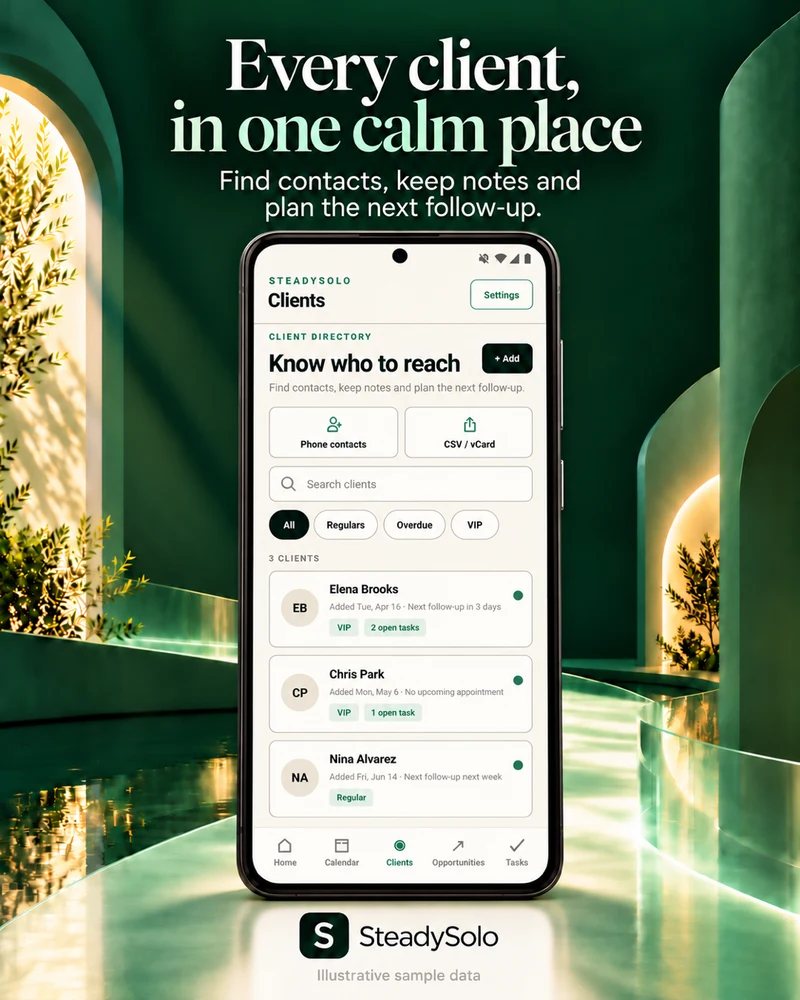
Keep the useful details close.
Find contacts, review appointment details and keep follow-up notes with the right client.
▶ Watch tour · 30 secondsWhat this feature does
Search and filter the client directory, or bring in contacts using phone contacts, CSV or vCard. Importing a contact does not grant marketing permission. The directory itself does not send messages.
 View illustration ↗
05 / YOUR DAY
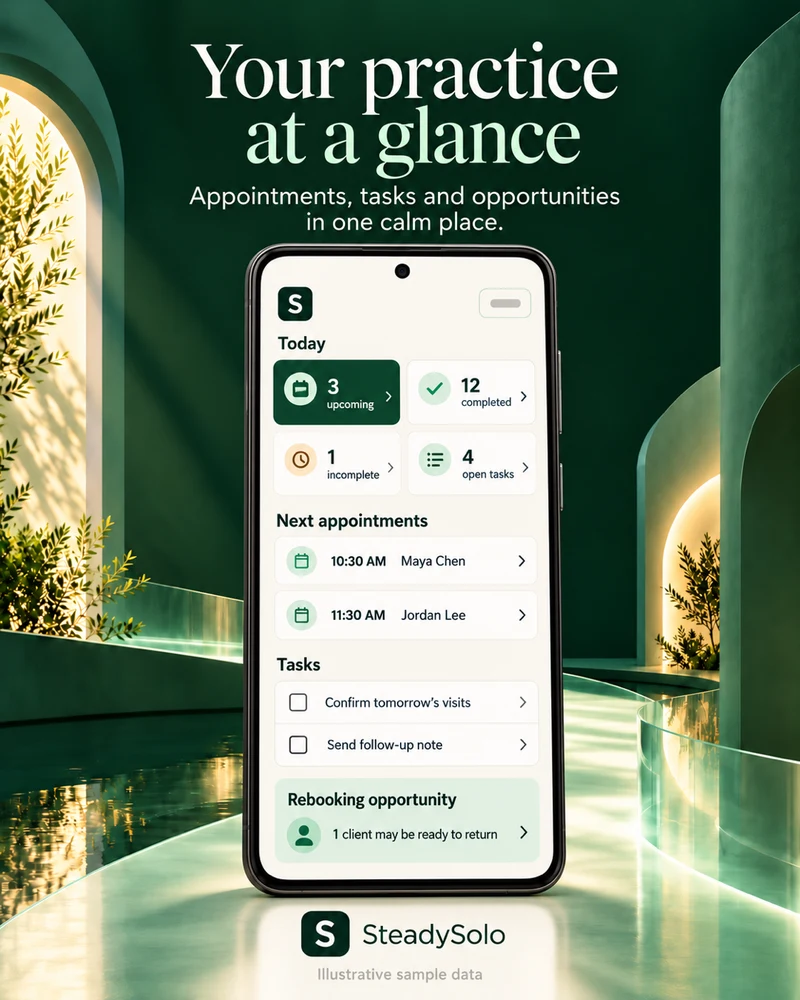
Start with a clearer overview.
See appointments, open tasks and rebooking opportunities together before your day gets busy.
▶ Watch tour · 32 secondsWhat this feature does
The Home illustration brings together appointment counts, upcoming visits, tasks and a rebooking opportunity. Its names and numbers are fictional sample data.
 View illustration ↗
06 / YOUR PRACTICE
Make SteadySolo yours.
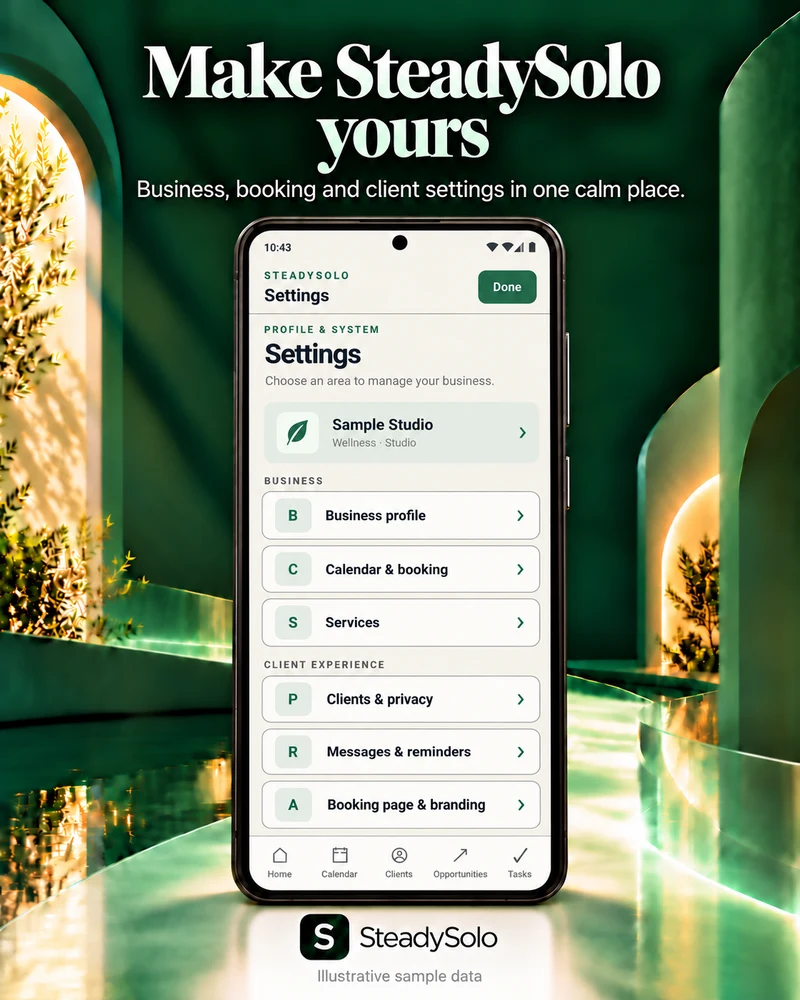
Organize your business profile, services, booking preferences, privacy and page branding in one place.
▶ Watch tour · 31 secondsWhat this feature does
This tour highlights six Settings destinations using a fictional business. It does not demonstrate every setting or imply that configuring a menu sends a message.
OPTIONAL WEEKLY REBOOKING
Keep the invitation
to return moving.
Enable weekly rebooking emails for eligible clients after your chosen inactivity period. You choose whether to turn it on.
▶ Watch the rebooking story · 30 secondsFollow-up, on your terms.
- Marketing approval and email consent are required.
- A completed SteadySolo visit is required.
- Choose 30, 45 or 60 days since the last completed visit.
- Clients with upcoming bookings are skipped.
- At most one automated rebooking email per client in 30 days.
This is optional email automation. Cancellation and birthday queue actions remain manual. We’ll help you check availability and configuration during pilot setup.
GET COMFORTABLE BEFORE YOU COMMIT
You don’t have to
figure it out alone.
We’ll help you organize your services, availability and client access, then explore the workflows that fit your practice.
- Free during the agreed founding-pilot period.
- No payment details to apply.
- No paid subscription starts without your agreement.
SteadySolo is for appointment and client relationship organization. It is not an electronic health record.